AN EBEN LABS APP · iPHONE
Code your board
from your phone.
Jolt Code sends the MicroPython you write straight to your ESP32, Pico W or any MicroPython Wi-Fi board. No laptop, no cable.
Launching January 1, 2027 on the App Store
ESP32RASPBERRY PI PICO WMICROPYTHONWEBREPLNEOPIXELSERVOSSENSORSHTML REMOTESLIBRARIESLIVE TERMINAL
ESP32RASPBERRY PI PICO WMICROPYTHONWEBREPLNEOPIXELSERVOSSENSORSHTML REMOTESLIBRARIESLIVE TERMINAL
INSIDE THE APP
Everything you need,
in your pocket.
01Write on your phone
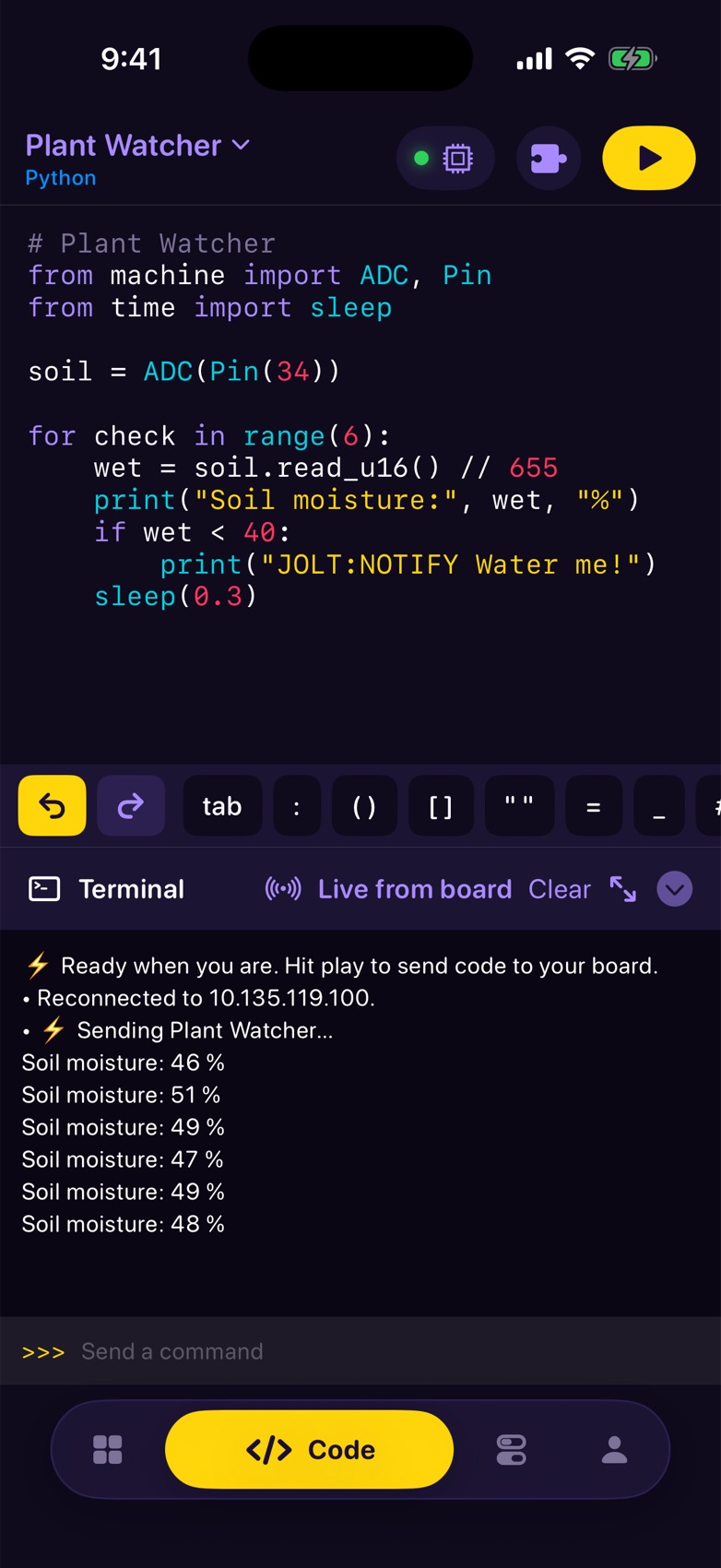
An editor made for thumbs, with shortcut keys for Python and HTML.
02Plug in a sensor
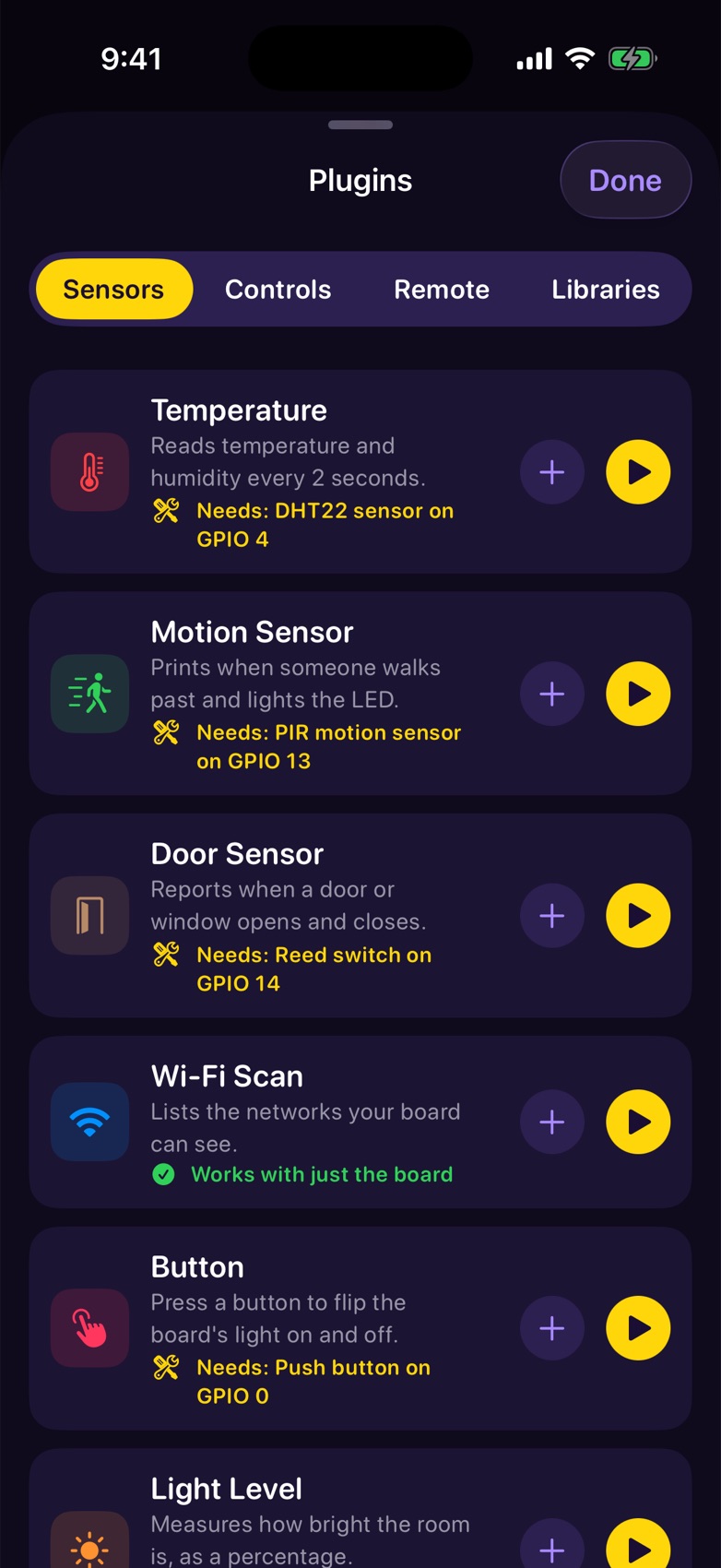
Ready-made plugins, each with a wiring guide. Press play and it runs.
03Build your own remote
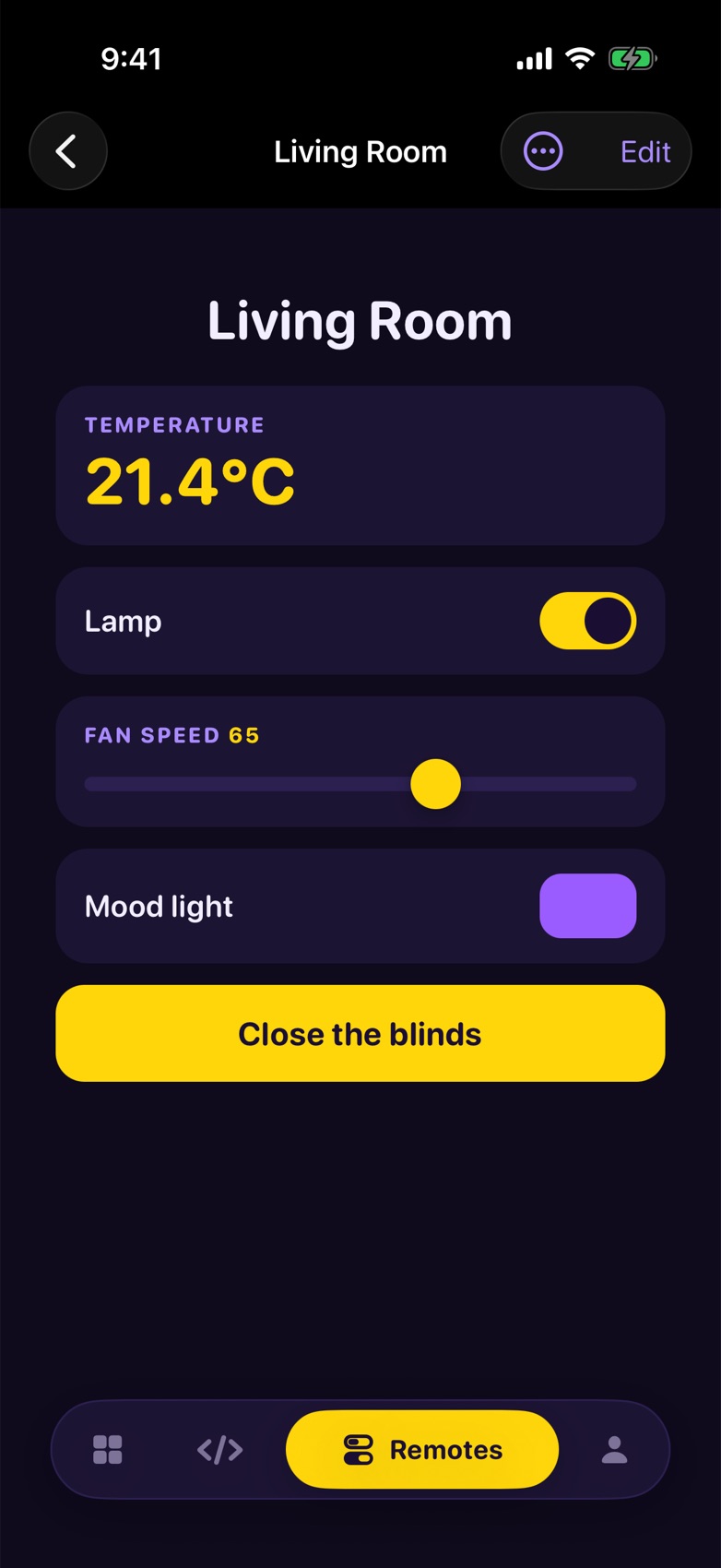
Switches, sliders, buttons and live readings. No code needed.
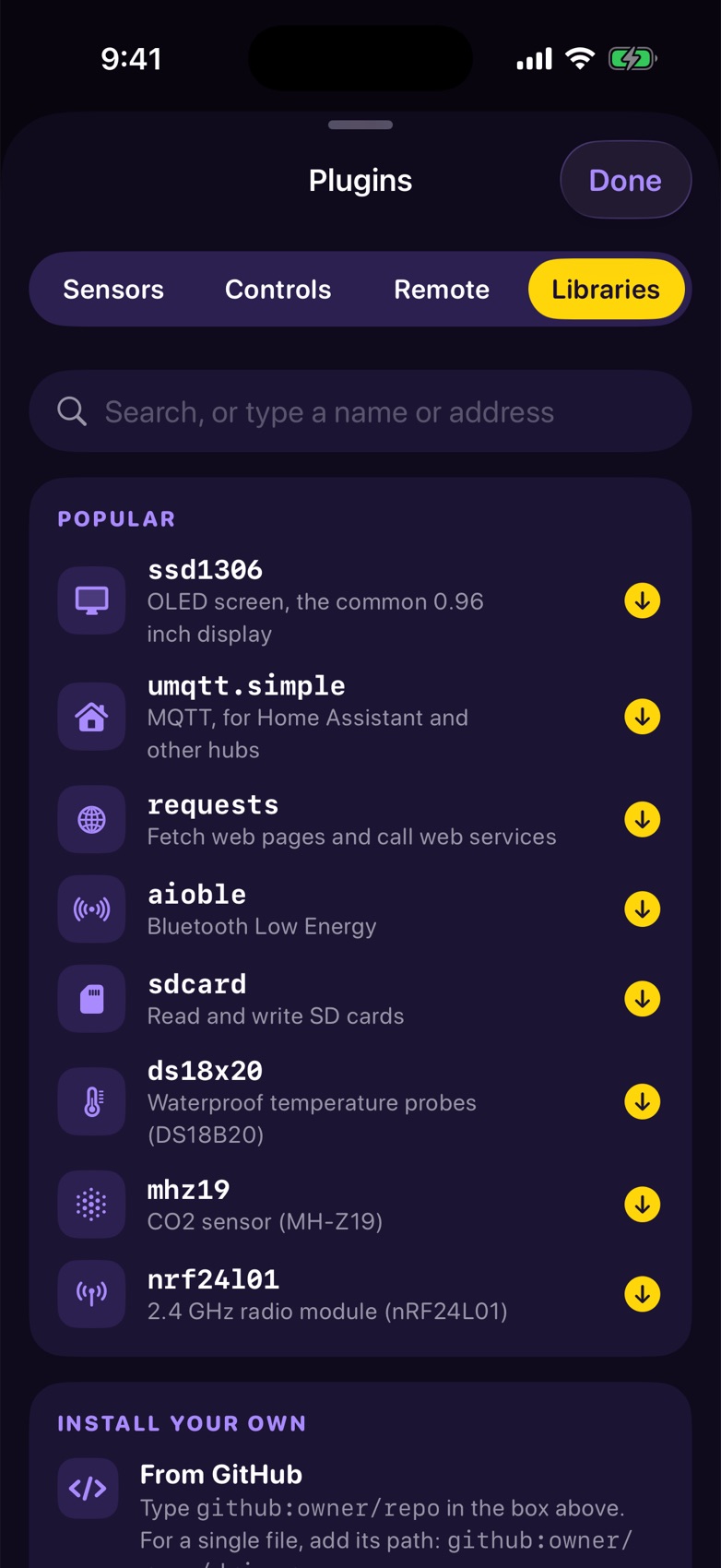
04Add libraries in a tap
Install from the MicroPython index or straight from GitHub.
Live from board
Soil moisture: 48 %
WHAT IT DOES
Built for people who build
Write
An editor made for thumbs
Python and HTML with one-tap shortcut keys, undo, arrow keys and colouring that's readable on a phone.
Send
One tap to your board
Press play and your code runs on the board over Wi-Fi, with its output in a live terminal.
Start fast
Plugins with wiring guides
Sensors, switches and lights ready to run, each with the parts and where the wires go.
Control
Remotes, no code needed
Switches, sliders, servos, buttons and live readings. Pick a pin for each and control your project from the couch.
Fix
Open what's on the board
Browse the board's files, pull one into the editor, change it and send it back.
Keep
Projects that follow you
Jolt Pro saves your projects to your account, and your board can send alerts to your phone.
HOW IT WORKS
Three steps to your first run
- Set up the board onceA five-minute job on a computer puts MicroPython on it and joins it to your Wi-Fi. Jolt walks you through it.
- Find it from your phoneJolt looks for the board on your Wi-Fi and connects. It remembers it next time.
- Write, press play, repeatFrom then on it's all from your iPhone. Boards running CircuitPython or Arduino need MicroPython first.
Be there on day one
Jolt Code launches January 1. Leave your email and you'll hear first: when pre-orders open, and the moment it's live.
SUPPORT
Questions
Which boards does it work with?
Any Wi-Fi board running MicroPython with WebREPL turned on: ESP32 boards, the Raspberry Pi Pico W and others. Jolt doesn't upload Arduino sketches, and it doesn't talk to boards running CircuitPython.
Do I need a computer?
Only once, to put MicroPython on a new board and join it to your Wi-Fi. Jolt's setup guide walks you through it. After that, everything happens on your iPhone.
What does Jolt Pro add?
Unlimited projects and remotes, every plugin, cloud save so your projects follow your account, and board alerts on your phone. Pro is a monthly or yearly subscription through Apple, and you can cancel any time in Settings.
Something isn't working. Who do I ask?
Email epdesign08@gmail.com and a person will reply. Ideas for new plugins are welcome too.